

The steady rhythm of your shop floor.
SUKI Cadence turns customer orders into a schedule that says which machine runs each operation, in which shift, at what time. As production happens it compares the plan with what the floor actually made, and re-plans the remaining work when the two differ.
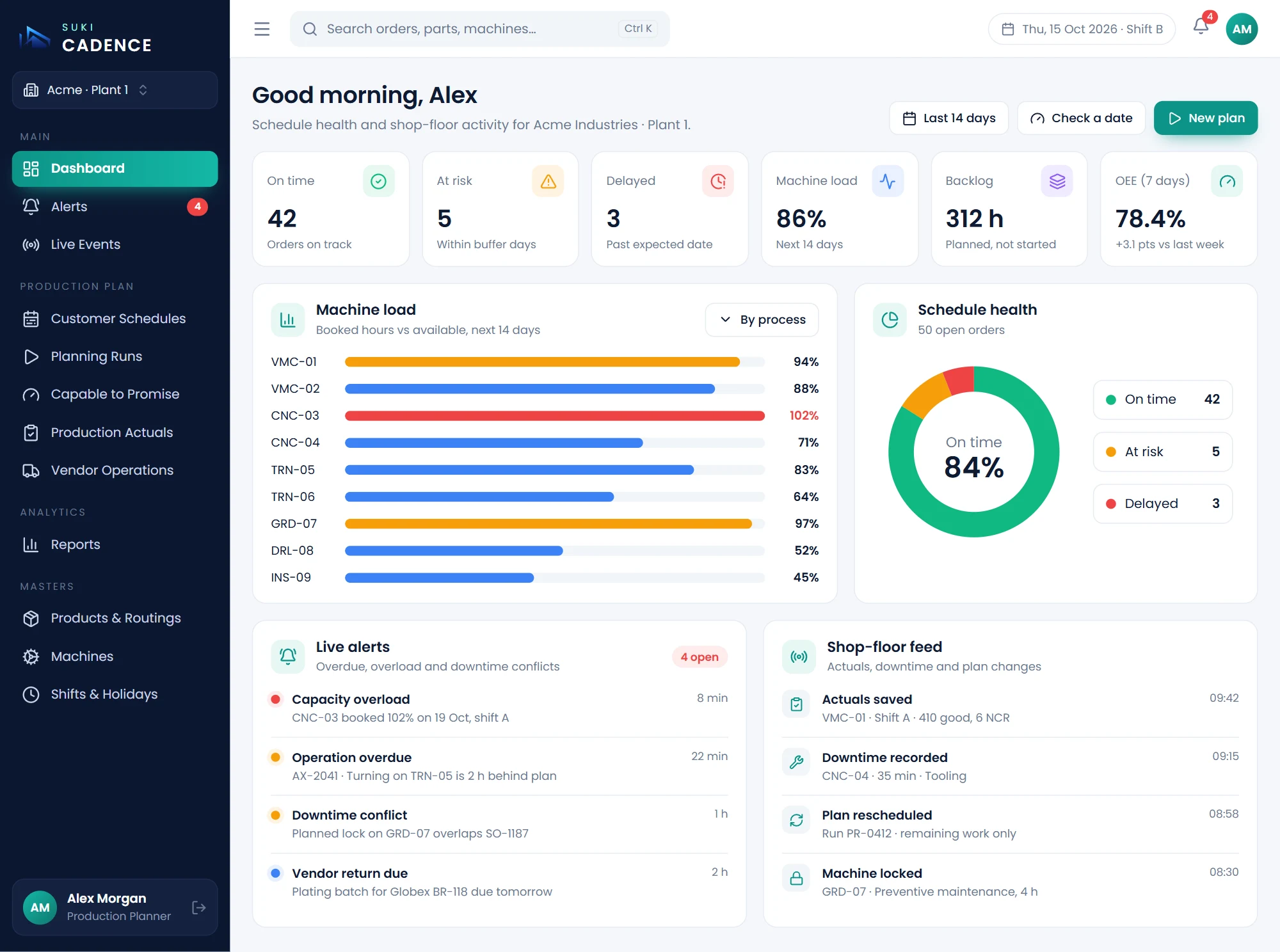
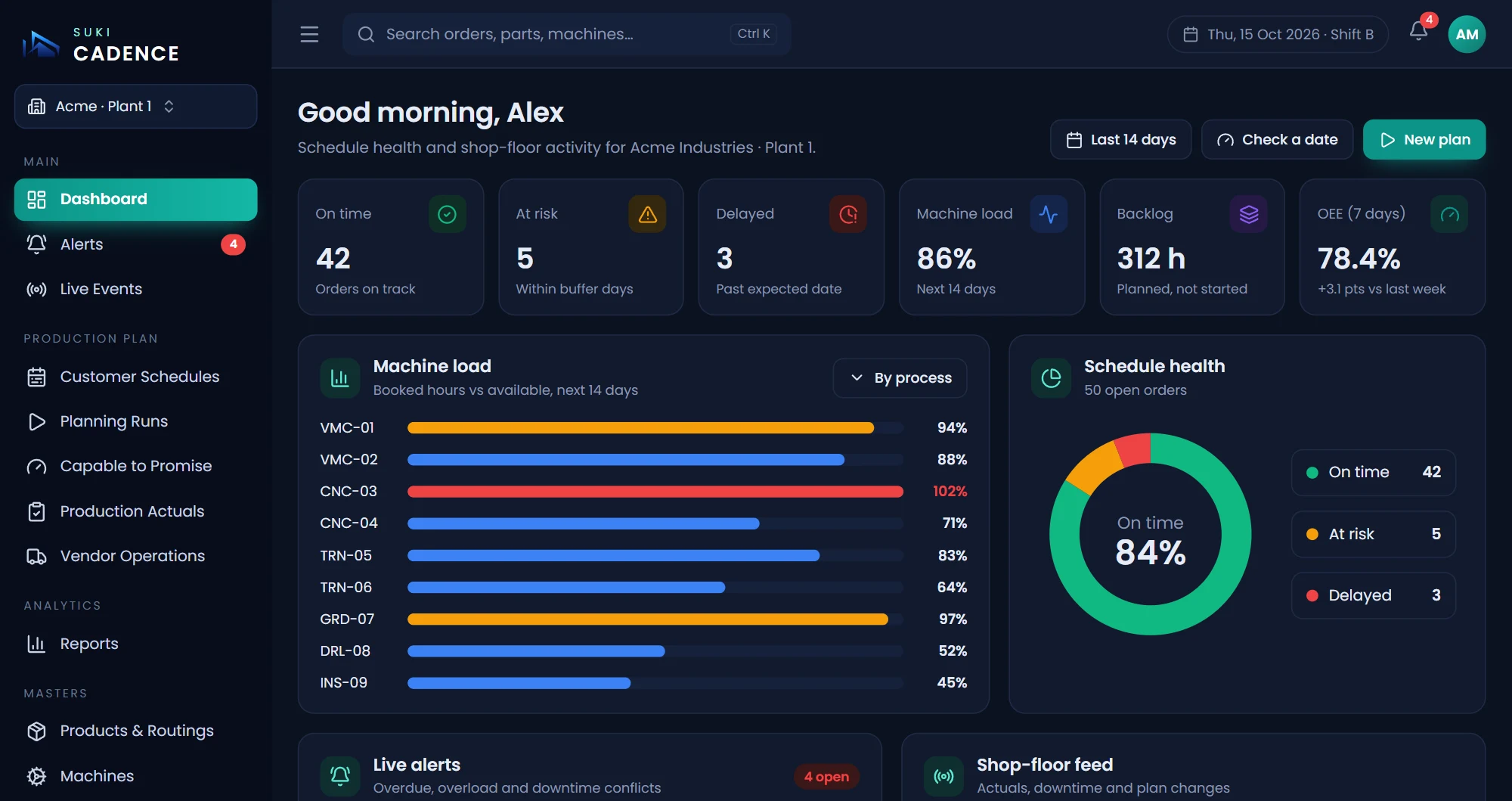
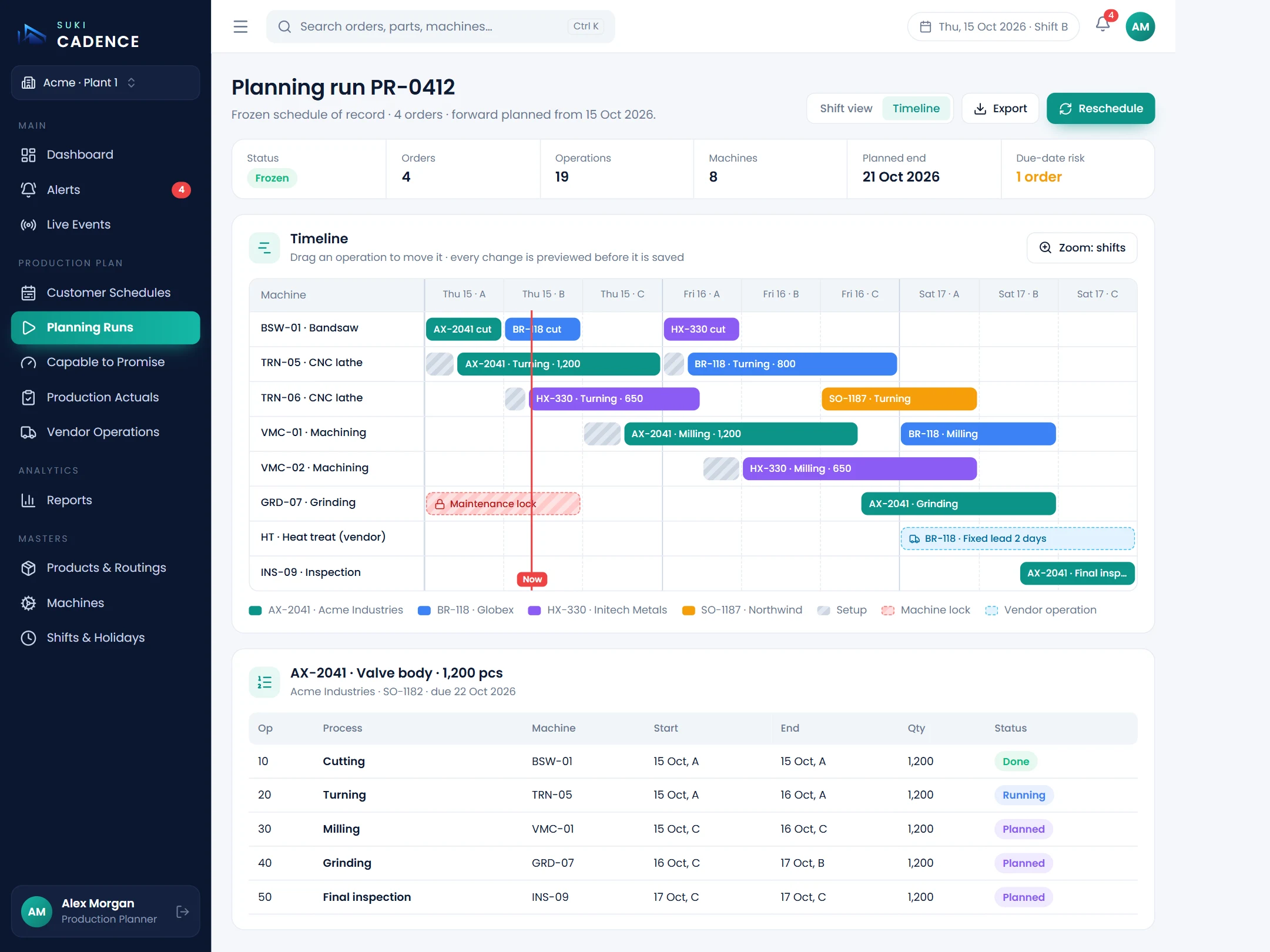
Every operation on a machine, a shift and a time
A rule-based planning engine schedules every operation of every order, allowing for production rates, setup and cleanup, shifts and breaks, holidays, planned maintenance and outside-vendor lead times.
- Picks the best available machine for each step
- Spaces each operation after the one before it
- Adds parallel machines when a due date is at risk
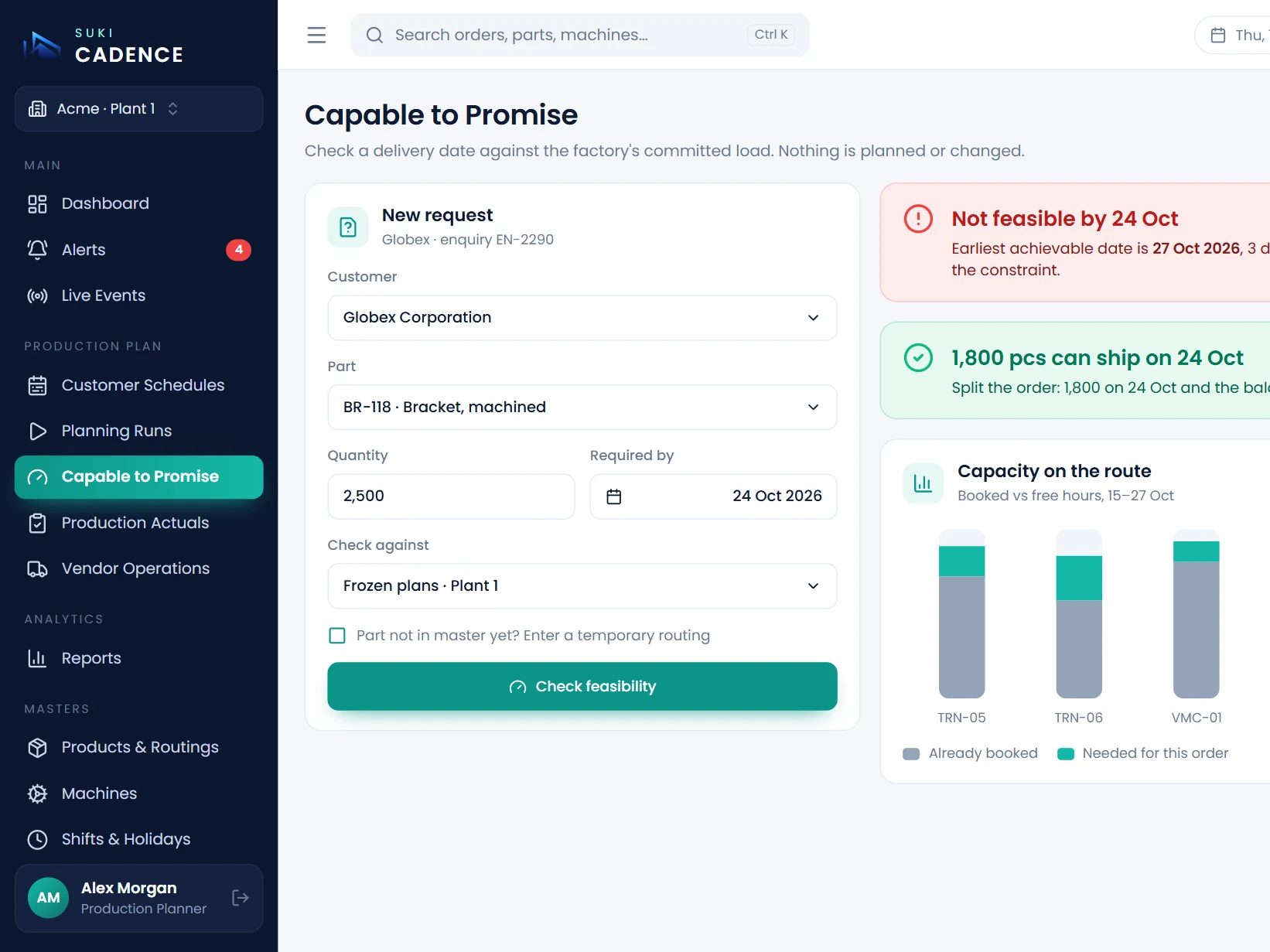
Know if a date is possible before you promise it
Test a new order against the factory's existing workload. Cadence answers yes, or gives the earliest date it can be delivered, without changing any plan.
- Checked against frozen, committed plans
- Earliest achievable date when the answer is no
- Capacity chart of the machines involved
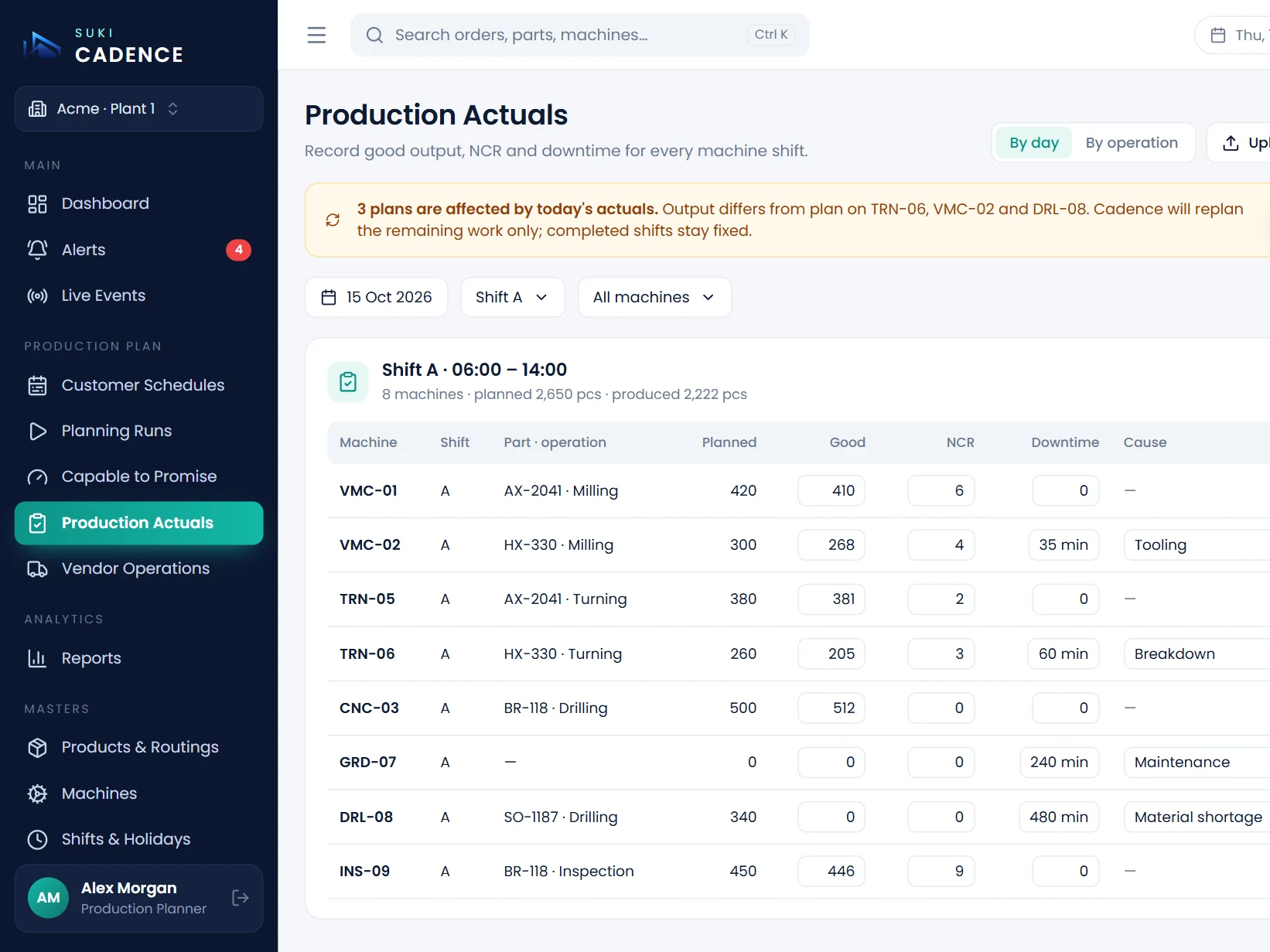
A plan that keeps up with the shop floor
Supervisors record good output, rejects and downtime with its cause for each shift. When actuals differ from the plan, Cadence flags the plans affected and re-plans only the remaining work.
- Enter by hand or upload a spreadsheet
- Completed production stays fixed
- Knock-on effects shown before anything is committed
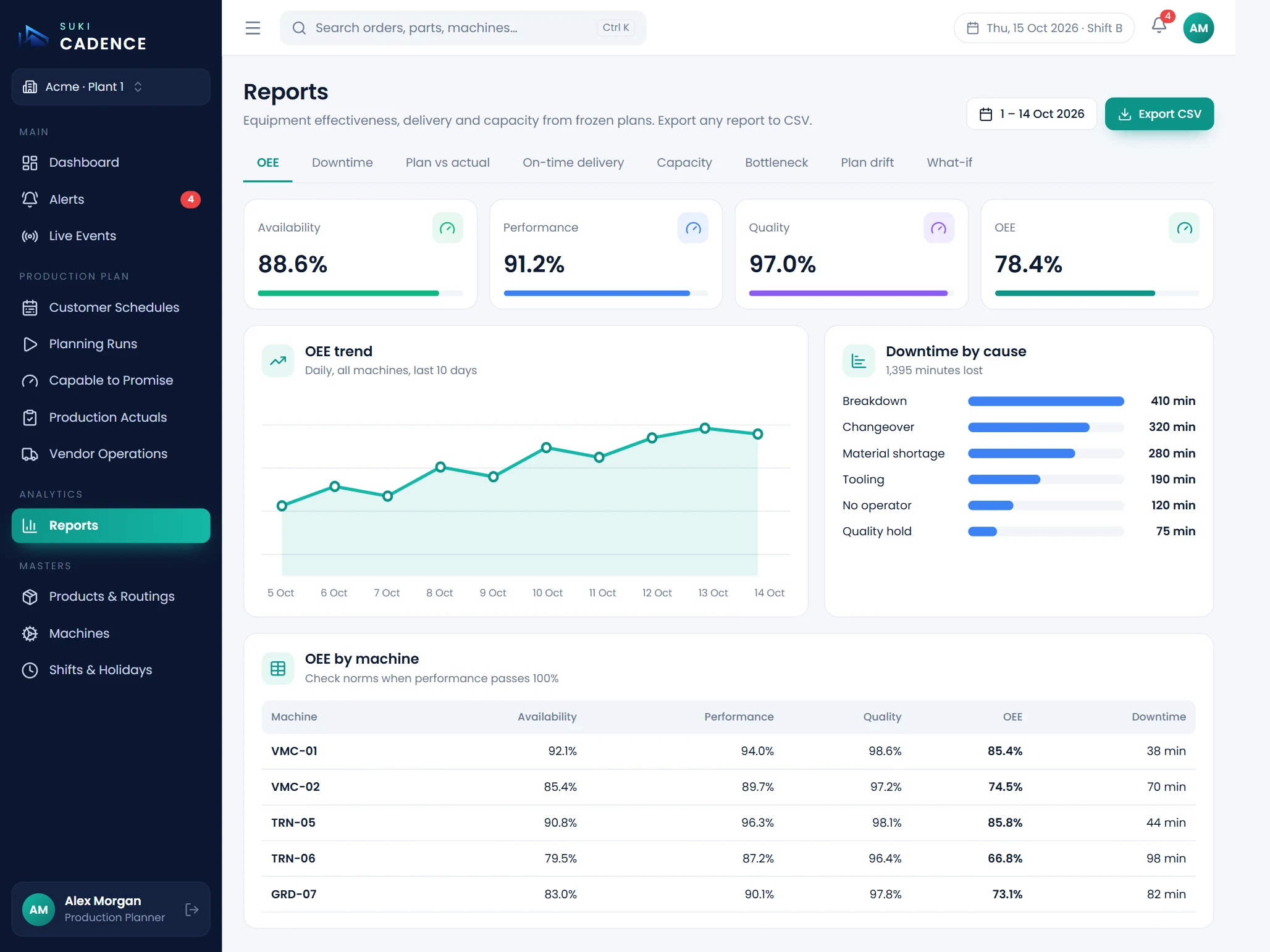
See where capacity is being lost
OEE, downtime by cause, plan versus actual, on-time delivery, capacity use, bottlenecks, setup and idle time, lead time, plan drift and what-if analysis, all from committed plans.
- Availability, performance and quality per machine
- Downtime by cause and trend
- On-time delivery and plan drift
Everything you need, nothing you don't.
SUKI Cadence shares one database with the rest of the SUKI suite, so every entry is made once and used everywhere.
Orders to schedule
Customer schedules entered or imported, then planned operation by operation onto machines and shifts.
Capable to promise
Yes, or the earliest achievable date, tested against the factory's existing workload.
Closed-loop rescheduling
Actuals that differ from plan flag the affected plans and re-plan only the remaining work.
Everyday disruption
Move a job off a broken machine, drag operations, hold an order or reserve maintenance time.
Dashboard and alerts
On-time, delayed and at-risk orders, machine load, backlog and bottlenecks, with live alerts.
Vendor operations
Outside steps like plating and heat treatment planned with their lead times and tracked on return.
12 features in the full list, if you want the detail.
One schedule the office and the floor trust.
Planners, supervisors, master-data owners, sales and management each work from the same plan, with access set down to individual pages and actions.
Production planner
Builds, freezes and reschedules plans and runs date checks.
Shop-floor supervisor
Works from dispatch sheets and records output, rejects and downtime.
Master data admin
Owns products, routings, machines, shifts and holidays.
Sales and customer service
Commits delivery dates with capable-to-promise.
Plant management
Tracks delivery, bottlenecks, capacity and OEE.
Company admin
Manages users, roles and page-level permissions.
Audit trail
Significant changes logged with who made them and why.
Company separation
Each company's data is kept fully apart.
Four steps, start to finish.
Set up
Products, routings, machines, shifts and holidays, entered or imported from a spreadsheet.
Plan
Customer orders become a machine and shift schedule that the planner reviews and freezes.
Run
Dispatch sheets go to the floor and supervisors record output, rejects and downtime each shift.
Re-plan
When actuals differ, the remaining work is rescheduled and reports show where capacity went.
Make-to-order and make-to-stock component shops where each part passes through several operations, such as cutting, turning, milling, heat treatment, plating and inspection, on shared machines that run in shifts.