

Plan every process. Track every order.
SUKI Planner is a production planning and order tracking system that sits on top of your ERP. It reads orders, job cards, routings and production actuals, schedules every process, and tracks actual progress against the approved plan.

From job card to approved schedule
Confirm the job card, part and quantity, calculate the schedule, and every process gets a planned date that follows the card's own routing.
- Calculate Schedule dialog
- Bulk schedule from Pending Orders
- Today's Schedule by stage and machine

Plan dates printed on the routing card
For an approved order, the plan date is stamped against each matched stage on the original routing card PDF.
- Dates stamped per matched stage
- Existing content on the card is never overwritten
- Conflicts are reported instead

See the exact stage that is late
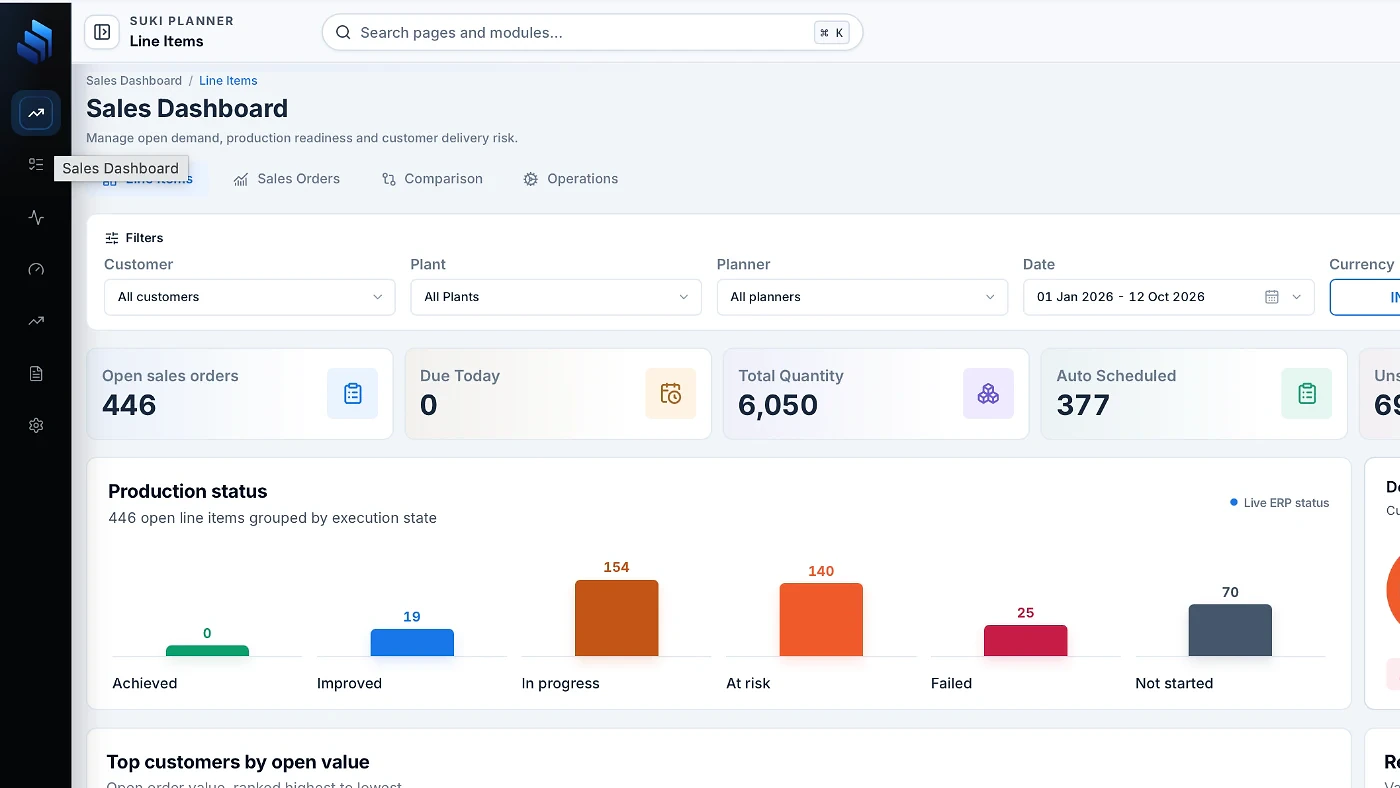
A stage strip on each order line shows which process is done, running or waiting.
- Not started, running, blocked and completed views
- Filters for overdue, at-risk and finished-late lines
- Inspect drawer with delivery milestones and manufacturing journey
Know about a late delivery before it is late
Every line is measured against its promised date and flagged at risk while there is still time to act.
- On-time, at-risk and delayed views
- Forecast Unavailable shown honestly, not counted as on time
- Delivery reports with on-time rate and delay trends
Everything you need, nothing you don't.
SUKI Planner shares one database with the rest of the SUKI suite, so every entry is made once and used everywhere.
Sits on top of your ERP
Reads orders, job cards, routings and actuals from the ERP. It never writes back.
Schedules every process
Job cards become an approved, process-by-process schedule that follows each card's own routing.
Routing card with plan dates
Approved plan dates are printed onto the routing card that travels with the job.
Live order progress
A stage strip shows which process is done, running or waiting on every line.
Delivery at risk, flagged early
Lines are flagged before the promised date is missed, so there is still time to act.
Learns from history
Past production, not standard times alone, makes future plans more accurate.
18 features in the full list, if you want the detail.
Everything in the sidebar, explained.
Pick a module to see what it does, what makes it different and the pages inside it.
Turns ERP job cards into an approved, process-by-process schedule.
Scheduling follows each card's own routing, and the approved plan dates are printed onto the routing card that travels with the job.
Every process step planned for today, by stage, with machine assignment and an Inspect drawer.
Lines waiting for routing review or scheduling, with KPI cards, filters and bulk Schedule selected.
Lines whose job card closed while still pending, plus full closed-order history.
Orders in the plan with planned dates per stage, grouped by PO, with reschedule history.
Week-by-week planning table across all stages, with a spreadsheet-style tab and planned vs actual timeline.
Process-wise worklists: pending, completed, overdue and unscheduled steps.
A printable production plan card for a chosen date.
Scheduled vs unscheduled totals and on-time performance.
Always in sync, always within reach.
These run everywhere in SUKI Planner, whichever module you are in.
ERP sync
Orders, cards, routings and actuals refresh automatically every few minutes. A sidebar panel shows sync health and history.
Notification bell
New orders and overdue, at-risk or finished-late lines, with one click through to the order.
Email digests
Daily plan and daily close summaries, with a send log in Settings.
Global search
Jump to any page or module from the top bar with Ctrl/Cmd K.
Exports
CSV and Excel from most tables, with exports audited.
Themes
Light and dark mode, plus colour themes.
Four roles. The right view for each.
Everyone works from the same plan, but each role sees and changes only what it should.
- Secure login with password reset and forced password change
- Order values visible only to value-cleared roles
- Activity log of user and system actions
Four steps, start to finish.
Sync
Orders, job cards, routings and actuals arrive from the ERP every few minutes.
Schedule
Confirm the job card, part and quantity, then calculate and approve the schedule.
Track
Follow each line through its stages and see what is running, blocked or late.
Deliver
Act on at-risk lines early and review on-time performance in reports.
No. It reads orders, job cards, routings and production actuals from the ERP and never writes back.